
Woocommerce Easy Checkout Field Editor
100% Original fileUnmodified copy of the developer's release
DeveloperSysBasics
Up to dateOriginal released Oct 12, 2024 · File last updated Oct 27, 2026
About this product
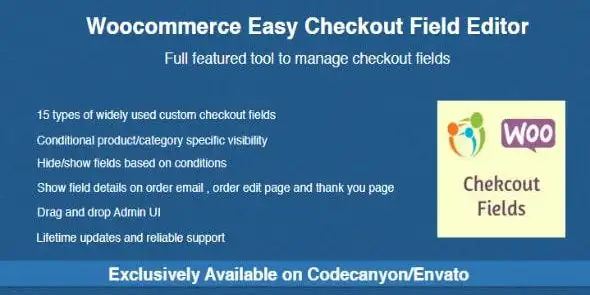
SysBasics Easy Checkout Field Editor 3.8.0 lets you change the WooCommerce checkout form: rename, reorder or remove the default billing and shipping fields and add fields of your own. It suits shops that need more from the customer at checkout, such as a delivery date, a gift note, a company number or a file, and shops that want to drop fields they never use so the form gets shorter. It can also add fees or discounts based on what the customer enters. You work under WooCommerce, Checkout Fields in the dashboard, where billing, shipping and additional fields sit in rows that you drag into order and click to edit, and what customers fill in is saved with each order.
How to install SysBasics Easy Checkout Field Editor
- If your site doesn't run WooCommerce yet, install and activate it under Plugins, Add New Plugin.
- Check that your checkout page uses the classic checkout, because the block checkout ignores these fields. If not, create a page with the woocommerce_checkout shortcode and set it as the checkout page under WooCommerce, Settings, Advanced.
- Log in to GPLGuide, open this product and click Download under Your downloads.
- In WordPress go to Plugins, Add New Plugin, Upload Plugin, choose the ZIP, click Install Now, then Activate.
- After activation the plugin opens its billing fields tab. Later you find all its settings under WooCommerce, Checkout Fields.
Features & capabilities
- Drag and drop order for billing, shipping and additional fields, plus a button that restores the WooCommerce defaults.
- Set each field's type, label, placeholder, options and CSS class, or delete fields you don't need.
- Field types including text, textarea, number, dropdown, multi select, checkbox, radio, heading and paragraph.
- File upload field with a size limit you set.
- Date, time, date and time, and date range pickers, with disabled dates and allowed times per field.
- Show or hide fields based on other field values, user role, payment gateway, shipping method, products or categories in the cart, cart value, or the customer's order count and total spent.
- Fees or discounts from field values or per product, as a flat amount or a percentage, taxable or not.
- Custom field data on the admin order page, in order emails and in PDF invoices from a supported invoice plugin.
- Fields on the My Account Edit Address page, and WPML support for field conditions.
Frequently asked questions
Is this the original file?
Yes. Every product on GPLGuide is the developer’s own release, unchanged. The license key comes already activated. If a product does ask for a key, the activation steps appear on its page once you have it.
Is it legal to use a GPL plugin or theme from GPLGuide?
Yes. WordPress plugins and themes are released under the GPL, which lets anyone use, share and change the code. The developer’s support desk and the developer’s own update service are not part of the file; those stay with the developer.
How do I install it?
Log in, open the product page and click Download under Your downloads. For a plugin go to Plugins, Add New Plugin, Upload Plugin, choose the ZIP, then Install Now and Activate. For a theme go to Appearance, Themes, Add New Theme, Upload Theme.
How do updates work?
When a newer version is listed on GPLGuide, download it from the product page and upload it over the installed copy; WordPress offers to replace the old version. Updates are manual.
Can I use it on more than one site?
Yes. The GPL lets you use it on as many of your own sites as you like.
What if the file does not work or a newer version is out?
Tell us on the Request Item page or through Support. We check the file and add the newer version when we have it.


