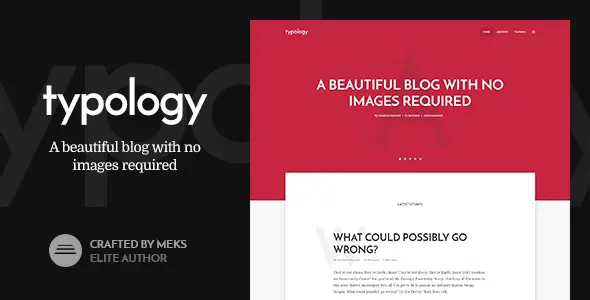
Typology – Minimalist Blog & Text Based Theme for WordPress
100% Original fileUnmodified copy of the developer's release
DeveloperMeks
Up to dateFile last updated Oct 30, 2026
About this product
Typology Theme 1.7.7 is a minimalist, text-first blog theme for writers, book authors, poets and developers who want a typography-focused site that does not rely on images. It gives you a two-column responsive layout with several textual post layouts and a customizable home page. The developer ships it with a setup wizard that installs the recommended plugins and imports demo content, and with WooCommerce, RTL and Gutenberg support. Four pagination types, from numbered pages to infinite scroll, let you choose how readers move through long archives.
How to install Typology Theme
- Log in to GPLGuide, open this product and click Download under Your downloads.
- Go to Appearance, Themes, Add New Theme, Upload Theme, choose the theme ZIP, click Install Now, then click Activate.
- Open Appearance, Typology Setup Wizard and follow the screens. The wizard installs the recommended plugins for you: Redux Framework for the theme options, plus the developer's companion plugins for widgets and social sharing.
- The same wizard imports the demo content and settings. Run it on a new site, because it brings in the demo posts and options. Demo images are not included, so you will see placeholder images.
- Open Theme Options to set the home page, typography, branding and pagination type. Per-archive layouts sit under Theme Options, Archive Templates.
- Install WooCommerce afterwards only if you also want a shop on the site, since the theme is styled for it.
Features & capabilities
- Two visual styles, material design or flat
- Customizable home page sections and several textual post layouts
- Controls for fonts, font sizes and letter spacing
- Branding options for colours, logo and icons
- Four pagination types: older and newer posts, numeric, load more and infinite scroll
- Separate layouts for archive pages
- Built-in shortcodes and custom widgets
- Gutenberg and WooCommerce support
- RTL support and built-in translation options
- One-click demo import through the setup wizard
Frequently asked questions
Is this the original file?
Yes. Every product on GPLGuide is the developer’s own release, unchanged. The license key comes already activated. If a product does ask for a key, the activation steps appear on its page once you have it.
Is it legal to use a GPL plugin or theme from GPLGuide?
Yes. WordPress plugins and themes are released under the GPL, which lets anyone use, share and change the code. The developer’s support desk and the developer’s own update service are not part of the file; those stay with the developer.
How do I install it?
Log in, open the product page and click Download under Your downloads. For a plugin go to Plugins, Add New Plugin, Upload Plugin, choose the ZIP, then Install Now and Activate. For a theme go to Appearance, Themes, Add New Theme, Upload Theme.
How do updates work?
When a newer version is listed on GPLGuide, download it from the product page and upload it over the installed copy; WordPress offers to replace the old version. Updates are manual.
Can I use it on more than one site?
Yes. The GPL lets you use it on as many of your own sites as you like.
What if the file does not work or a newer version is out?
Tell us on the Request Item page or through Support. We check the file and add the newer version when we have it.


