
WooCommerce Customers Manager
100% Original fileUnmodified copy of the developer's release
Developervanquish
Up to dateOriginal released Jul 4, 2025 · File last updated Oct 27, 2026
About this product
WooCommerce Customers Manager 31.9 adds a proper customer management area to a WooCommerce shop, so you can see who buys, how much they spend and when they last ordered without opening orders one by one. It suits shops with a growing mix of repeat buyers and guest customers, for example stores that want to reward their best customers with coupons, turn guest orders into real accounts or bring a customer list over from another system as a CSV file. Everything happens in the WordPress admin: you get a customer list, a customer details page with charts, an Options page for the plugin, and extra controls on the WooCommerce order pages for assigning orders and converting guests.
How to install WooCommerce Customers Manager
- If your site does not run WooCommerce yet, install and activate it under Plugins, Add New Plugin. The developer lists WordPress 4.9 or newer and WooCommerce 6 or newer.
- Log in to GPLGuide, open this product and click Download under Your downloads.
- In WordPress go to Plugins, Add New Plugin, Upload Plugin, choose the ZIP, click Install Now, then Activate.
- Plan for your shop size: the developer says it handles more than 5,000 users, but large customer lists need solid hosting. The customer map uses a free address service with a daily quota and can stop for the rest of the day.
- After activation, open the customer list and the Options page the plugin adds to the WordPress admin; the order assigner and guest conversion sit on the WooCommerce order pages.
Features & capabilities
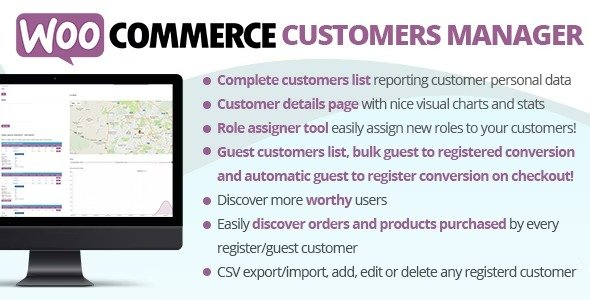
- Customer list with registration date, total spent, number of orders and last order date, filterable by period and exportable to CSV.
- Customer details page with billing and shipping data, orders and products by period, and charts of top products and spend per order.
- Guest customer list, with conversion to registered accounts from the order page, the guest list or automatically after checkout.
- Guest orders that move to an existing account when the billing email matches a registered customer.
- Blocked Customer role that stops a customer from placing orders.
- Order assigner that moves an order to another customer and can overwrite its billing and shipping data.
- Notes for each customer, plus single and bulk emails written in the classic editor with email placeholders.
- Who Bought view listing registered and guest buyers for each product and each variation.
- Discover filter for finding customers by products or categories bought and by minimum or maximum spend.
- CSV customer import with optional login emails, plus bulk role assignment and a role switcher for existing users.
Frequently asked questions
Is this the original file?
Yes. Every product on GPLGuide is the developer’s own release, unchanged. The license key comes already activated. If a product does ask for a key, the activation steps appear on its page once you have it.
Is it legal to use a GPL plugin or theme from GPLGuide?
Yes. WordPress plugins and themes are released under the GPL, which lets anyone use, share and change the code. The developer’s support desk and the developer’s own update service are not part of the file; those stay with the developer.
How do I install it?
Log in, open the product page and click Download under Your downloads. For a plugin go to Plugins, Add New Plugin, Upload Plugin, choose the ZIP, then Install Now and Activate. For a theme go to Appearance, Themes, Add New Theme, Upload Theme.
How do updates work?
When a newer version is listed on GPLGuide, download it from the product page and upload it over the installed copy; WordPress offers to replace the old version. Updates are manual.
Can I use it on more than one site?
Yes. The GPL lets you use it on as many of your own sites as you like.
What if the file does not work or a newer version is out?
Tell us on the Request Item page or through Support. We check the file and add the newer version when we have it.


