
WooCommerce Wholesale Pro – By Barn2 Media
100% Original fileUnmodified copy of the developer's release
DeveloperBarn2 Media
Up to dateOriginal released Jun 8, 2026 · File last updated Oct 25, 2026
About this product
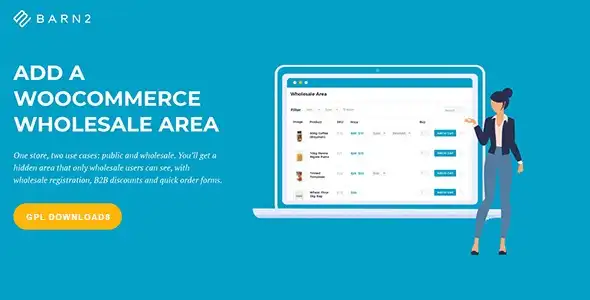
WooCommerce Wholesale Pro 2.5.0 lets one WooCommerce store sell to the public and to wholesale buyers at the same time. It suits shops that supply other businesses and want trade prices, a trade-only area and a sign-up process without running a second site. Wholesale customers get their own user role with its own prices, and you decide who may register and whether you approve each application by hand. You set it up from WooCommerce, Settings, Wholesale in the dashboard, and approved buyers then see their prices and products on your normal shop pages after they log in.
How to install WooCommerce Wholesale Pro
- Install and activate WooCommerce first under Plugins, Add New Plugin. The developer asks for WooCommerce 7.2 or newer, WordPress 6.1 or newer and PHP 7.4 or newer.
- Log in to GPLGuide, open this product and click Download under Your downloads.
- In WordPress, go to Plugins, Add New Plugin, click Upload Plugin and choose the ZIP file you downloaded.
- Click Install Now, then click Activate. If a setup wizard opens after activation, use it to choose your main options.
- Quick wholesale order forms need the developer's separate product table plugin, installed the same way. Without it, the rest of WooCommerce Wholesale Pro still works on its own.
- Open WooCommerce, Settings, Wholesale. Add extra wholesale roles on the Roles tab if different groups need different prices, then set a discount for each role.
Features & capabilities
- Create as many wholesale user roles as you need, each with its own pricing.
- Price by a global percentage discount, a category percentage discount, or an exact price for each product and variation.
- Show or hide the original price next to the wholesale one, or hide prices until a visitor logs in.
- A customizable registration form with seven field types, conditional logic and five editable emails, which a shortcode can place on its own page.
- Approve each wholesale application by hand, or let new buyers in straight away.
- Set every category or product to Public Only, Wholesale Only or Both.
- Choose which user roles can see each payment gateway and each shipping method.
- Turn off tax and coupons for individual wholesale roles.
- Wholesale orders appear on the WooCommerce Orders screen where you can filter them, and staff can create manual orders at the correct role price.
Frequently asked questions
Is this the original file?
Yes. Every product on GPLGuide is the developer’s own release, unchanged. The license key comes already activated. If a product does ask for a key, the activation steps appear on its page once you have it.
Is it legal to use a GPL plugin or theme from GPLGuide?
Yes. WordPress plugins and themes are released under the GPL, which lets anyone use, share and change the code. The developer’s support desk and the developer’s own update service are not part of the file; those stay with the developer.
How do I install it?
Log in, open the product page and click Download under Your downloads. For a plugin go to Plugins, Add New Plugin, Upload Plugin, choose the ZIP, then Install Now and Activate. For a theme go to Appearance, Themes, Add New Theme, Upload Theme.
How do updates work?
When a newer version is listed on GPLGuide, download it from the product page and upload it over the installed copy; WordPress offers to replace the old version. Updates are manual.
Can I use it on more than one site?
Yes. The GPL lets you use it on as many of your own sites as you like.
What if the file does not work or a newer version is out?
Tell us on the Request Item page or through Support. We check the file and add the newer version when we have it.


