
YITH Composite Products For WooCommerce Premium
100% Original fileUnmodified copy of the developer's release
DeveloperYITH
Up to dateOriginal released Jul 29, 2024 · File last updated Oct 25, 2026
About this product
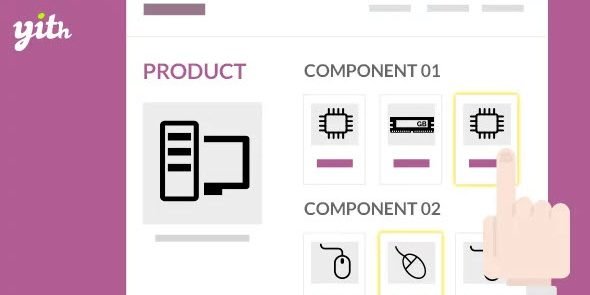
YITH Composite Products for WooCommerce 1.37.0 lets you sell build-your-own products made from items you already stock. It suits shops where customers assemble an order from parts, such as computers, bicycles, furniture or sports gear, and the price should follow what they pick. You turn a normal product into a Composite Product from the Product Data box, then add components on its Components tab. On the product page, shoppers choose their options from a simple list, an accordion or a step-by-step layout before adding the whole build to the cart.
How to install YITH Composite Products for WooCommerce
- Install and activate WooCommerce under Plugins, Add New Plugin if your shop doesn't run it yet. This release lists support up to WooCommerce 9.1, so try it on a copy of your site first if your WooCommerce is much newer.
- Log in to GPLGuide, open this product and click Download under Your downloads.
- In WordPress, go to Plugins, Add New Plugin, Upload Plugin and choose the ZIP file you downloaded.
- Click Install Now and wait for the upload to finish, then click Activate Plugin.
- Open the plugin's settings page from the WordPress sidebar, stay on the General tab and switch on Enable plugin features. Then edit a product, pick Composite Product in the Product Data drop-down and use the Components tab.
Features & capabilities
- Components are picked from your own catalogue by product ID, category or tag, and each one gets its own name.
- Per-item Pricing adds the price of every selected component to the listing price; switch it off and only the composite product's own price counts.
- A percentage discount can be set per component, with an option to calculate it from the sale price.
- Minimum and maximum quantities can be set for each component, and components can be required or optional.
- Dependencies work as conditional logic: a choice in one component can exclude or force products in another.
- Three layouts are available: simple list, accordion list or steps. Components can show as a dropdown, thumbnails or radio buttons.
- Per-item Shipping works out the cost from each component's weight and dimensions; without it, a Shipping tab covers the whole product.
- Variable products can be used as components, and stock is handled through WooCommerce like any other cart item.
Frequently asked questions
Is this the original file?
Yes. Every product on GPLGuide is the developer’s own release, unchanged. The license key comes already activated. If a product does ask for a key, the activation steps appear on its page once you have it.
Is it legal to use a GPL plugin or theme from GPLGuide?
Yes. WordPress plugins and themes are released under the GPL, which lets anyone use, share and change the code. The developer’s support desk and the developer’s own update service are not part of the file; those stay with the developer.
How do I install it?
Log in, open the product page and click Download under Your downloads. For a plugin go to Plugins, Add New Plugin, Upload Plugin, choose the ZIP, then Install Now and Activate. For a theme go to Appearance, Themes, Add New Theme, Upload Theme.
How do updates work?
When a newer version is listed on GPLGuide, download it from the product page and upload it over the installed copy; WordPress offers to replace the old version. Updates are manual.
Can I use it on more than one site?
Yes. The GPL lets you use it on as many of your own sites as you like.
What if the file does not work or a newer version is out?
Tell us on the Request Item page or through Support. We check the file and add the newer version when we have it.


