
YITH WooCommerce Product Add-Ons & Extra Options Premium
100% Original fileUnmodified copy of the developer's release
DeveloperYITH
Up to dateOriginal released Jul 20, 2026 · File last updated Oct 25, 2026
About this product
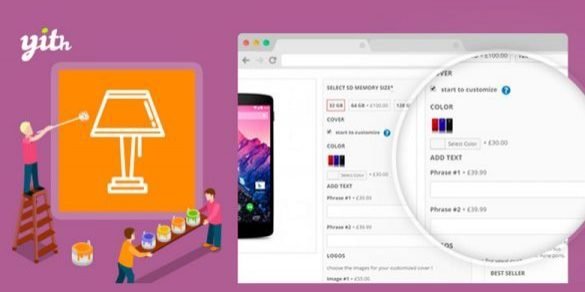
YITH WooCommerce Product Add-Ons & Extra Options 4.35.0 adds configurable fields to WooCommerce product pages, so customers can personalize what they buy and pay for extras. It suits shops that sell made-to-order goods, such as T-shirts printed from an uploaded image or food with flavors and toppings, and shops that want to offer paid upsells next to the main product. You create option blocks under the plugin's Product Add-ons screen, choose which products or categories each block applies to, and the fields then show on the product page, in the cart and in the order details.
How to install YITH WooCommerce Product Add-Ons & Extra Options
- Install and activate WooCommerce under Plugins, Add New Plugin if your shop doesn't run it yet. The developer's changelog for this release lists support for WooCommerce 11.0.
- Log in to GPLGuide, open this product and click Download under Your downloads.
- In the WordPress dashboard go to Plugins, Add New Plugin, Upload Plugin and choose the ZIP you downloaded.
- Click Install Now, then click Activate when WordPress has finished.
- Open the Product Add-ons entry in the developer's menu in the WordPress sidebar. The first tab, Options blocks, is where you click Add block, name it, pick all products or specific products and categories, and add your fields.
Features & capabilities
- Twelve field types: checkbox, radio, input text, textarea, select, number, date, file upload, color swatch, color picker, label or image, and product
- Assign each block to all products or to chosen products and categories, and set a priority when several blocks apply
- Price every option as free, an increase or a discount, as a fixed amount or a percentage, with optional sale prices
- Charge by the number of typed characters, or multiply an option price by a number the customer enters
- Show or hide a set of options with conditional logic, using as many rules as you need matched as all or any
- Make options required, ask for at least or exactly a set number, and cap checkbox choices or number values
- Limit a block to all users, guests only, logged-in users only or chosen user roles
- Accept file uploads with allowed file types and a maximum size, and attach them to order emails if you want
- Let shoppers change their options from the cart in a popup, and show a total price box on the product page
Frequently asked questions
Is this the original file?
Yes. Every product on GPLGuide is the developer’s own release, unchanged. The license key comes already activated. If a product does ask for a key, the activation steps appear on its page once you have it.
Is it legal to use a GPL plugin or theme from GPLGuide?
Yes. WordPress plugins and themes are released under the GPL, which lets anyone use, share and change the code. The developer’s support desk and the developer’s own update service are not part of the file; those stay with the developer.
How do I install it?
Log in, open the product page and click Download under Your downloads. For a plugin go to Plugins, Add New Plugin, Upload Plugin, choose the ZIP, then Install Now and Activate. For a theme go to Appearance, Themes, Add New Theme, Upload Theme.
How do updates work?
When a newer version is listed on GPLGuide, download it from the product page and upload it over the installed copy; WordPress offers to replace the old version. Updates are manual.
Can I use it on more than one site?
Yes. The GPL lets you use it on as many of your own sites as you like.
What if the file does not work or a newer version is out?
Tell us on the Request Item page or through Support. We check the file and add the newer version when we have it.


