
YITH Woocommerce Product Countdown Premium
100% Original fileUnmodified copy of the developer's release
DeveloperYITH
Up to dateOriginal released Jul 20, 2026 · File last updated Oct 25, 2026
About this product
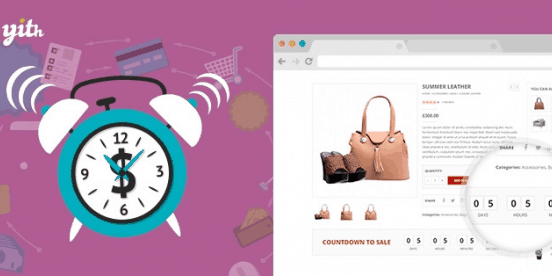
YITH WooCommerce Product Countdown 1.62.0 puts a countdown timer, a sale bar or both on your WooCommerce product pages, so shoppers can see how long an offer lasts or how many items are left. It suits shops that run flash sales, limited-time discounts, launches or small stock runs and want visible urgency on the product itself. Each product gets its own start and end date, and the timer or bar appears on the product page, the category page or both, in the position you choose.
How to install YITH WooCommerce Product Countdown
- Install and activate WooCommerce first if your site doesn't run it yet, under Plugins, Add New Plugin. The countdown works on simple and variable products only, not on custom, affiliate or external ones.
- Log in to GPLGuide, open this product and click Download under Your downloads.
- In your WordPress dashboard open Plugins, Add New Plugin, Upload Plugin, then choose the ZIP file you downloaded.
- Click Install Now, then click Activate once the upload finishes.
- Open the plugin's settings screen, then Product Countdown, General, to choose the type (timer, sale bar or both), the page position, and what happens when the countdown ends or the stock sells out.
- Edit a product and find the Product Countdown section. Enable the countdown there and set the start and end date. Countdown dates are not linked to WooCommerce sale dates, so set both by hand.
Features & capabilities
- Countdown timer on the single product page showing the time left on an offer.
- Sale bar that shows how much of the stock has sold, with counts for discounted and already sold items.
- Show the timer, the bar or both, on product pages, category pages or both, and pick the position on each.
- Three countdown layouts with customizable styles, plus editable texts.
- Choose what happens when the countdown ends or the available items run out.
- Start and end dates with hours and minutes, and an optional timer that counts down to a sale that hasn't started yet.
- Top bar and bottom bar on every page that carry the countdown for a chosen product.
- One shared countdown for a group of products: a selection, a category, recent, discounted or featured products.
- Shortcode and widget for showing the countdown on other pages or in widget areas.
Frequently asked questions
Is this the original file?
Yes. Every product on GPLGuide is the developer’s own release, unchanged. The license key comes already activated. If a product does ask for a key, the activation steps appear on its page once you have it.
Is it legal to use a GPL plugin or theme from GPLGuide?
Yes. WordPress plugins and themes are released under the GPL, which lets anyone use, share and change the code. The developer’s support desk and the developer’s own update service are not part of the file; those stay with the developer.
How do I install it?
Log in, open the product page and click Download under Your downloads. For a plugin go to Plugins, Add New Plugin, Upload Plugin, choose the ZIP, then Install Now and Activate. For a theme go to Appearance, Themes, Add New Theme, Upload Theme.
How do updates work?
When a newer version is listed on GPLGuide, download it from the product page and upload it over the installed copy; WordPress offers to replace the old version. Updates are manual.
Can I use it on more than one site?
Yes. The GPL lets you use it on as many of your own sites as you like.
What if the file does not work or a newer version is out?
Tell us on the Request Item page or through Support. We check the file and add the newer version when we have it.


