
YITH WooCommerce Zoom Magnifier
100% Original fileUnmodified copy of the developer's release
DeveloperYITH
Up to dateOriginal released Mar 19, 2024 · File last updated Oct 25, 2026
About this product
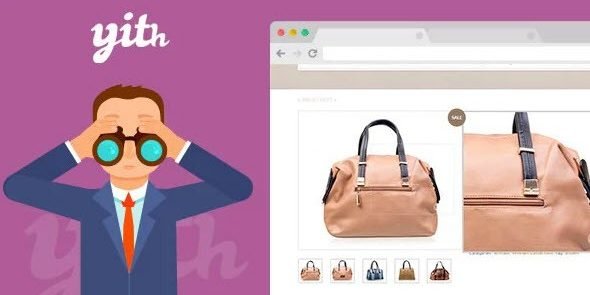
YITH WooCommerce Zoom Magnifier 2.30.0 adds image zoom, a lightbox and a thumbnail slider to the product pages of a WooCommerce shop. It suits stores where buyers judge a product by its photos and want a closer look before they order. On the single product page the zoom, the lightbox icon and the gallery slider sit on the main image and its thumbnails, and you control how each one looks and behaves from the plugin's settings screen. The developer now lists this plugin as Product Gallery & Image Zoom, so you may see that name in its documentation.
How to install YITH WooCommerce Zoom Magnifier
- Install and activate WooCommerce under Plugins, Add New Plugin if your shop doesn't run it yet. The zoom and gallery work on WooCommerce product pages.
- Log in to GPLGuide, open this product and click Download under Your downloads.
- In your WordPress dashboard go to Plugins, Add New Plugin, Upload Plugin and choose the ZIP file you just downloaded.
- Click Install Now and wait for the upload to finish, then click Activate.
- Open the plugin's settings screen from the developer's menu in the WordPress sidebar. Zoom, lightbox and gallery options sit in separate sections. The docs say to keep the Hide gallery thumbnails from single product page option on while you set up the slider.
Features & capabilities
- Zoom on product images, shown inside the main image or in a window beside it on the right
- Zoom window size, optional blur of the main image while zooming, and an option to turn zoom off on mobile devices
- Optional magnifying-glass icon on the image, with its own colours, size, corner radius and position
- Lightbox icon that opens the full-size image, with icon colours, size, position and overlay colour, or switch the lightbox off
- Thumbnail slider with a set number of visible thumbnails, plus arrows that show on hover or stay fixed
- Slider loop in Circular or Back to 1st style, and autoplay
- Swap the main image when a visitor hovers over a gallery thumbnail, or add a zoom effect to the thumbnails
- Make inactive thumbnails semi-transparent or greyscale and give the active one a coloured border
- Exclusion list that turns zoom off for chosen products, categories or tags
- Elementor widget that places the product gallery and zoom on a product page you build
Frequently asked questions
Is this the original file?
Yes. Every product on GPLGuide is the developer’s own release, unchanged. The license key comes already activated. If a product does ask for a key, the activation steps appear on its page once you have it.
Is it legal to use a GPL plugin or theme from GPLGuide?
Yes. WordPress plugins and themes are released under the GPL, which lets anyone use, share and change the code. The developer’s support desk and the developer’s own update service are not part of the file; those stay with the developer.
How do I install it?
Log in, open the product page and click Download under Your downloads. For a plugin go to Plugins, Add New Plugin, Upload Plugin, choose the ZIP, then Install Now and Activate. For a theme go to Appearance, Themes, Add New Theme, Upload Theme.
How do updates work?
When a newer version is listed on GPLGuide, download it from the product page and upload it over the installed copy; WordPress offers to replace the old version. Updates are manual.
Can I use it on more than one site?
Yes. The GPL lets you use it on as many of your own sites as you like.
What if the file does not work or a newer version is out?
Tell us on the Request Item page or through Support. We check the file and add the newer version when we have it.


