
Digits : WordPress Mobile Number Signup and Login

100% Original fileUnmodified copy of the developer's release
DeveloperCode Canyon
Up to dateFile last updated Oct 23, 2026
About this product
Digits is a WordPress plugin that lets people sign up and log in with their mobile number and a one-time passcode sent by SMS or WhatsApp, so nobody has to remember a password or confirm an email first. It suits WooCommerce stores, membership and community sites, and any site where your visitors are more at home with their phone than their inbox. This page is for Digits 9.2.4.2. On GPLGuide you download the original plugin file to install on your own WordPress websites.
Good for: shop owners who want phone-based accounts and verified numbers at checkout, community and BuddyPress sites tired of fake signups, and agencies that need a white-label login screen for clients.
Requirements: WordPress 5.0 or newer. The developer's item page lists compatibility up to WordPress 7.0, WooCommerce 6 to 10, BuddyPress 9 and 10, Elementor, WPBakery and WPML. No minimum PHP version is published, but recent releases added work for PHP 8.3 and PHP 8.5. You also need an SMS or WhatsApp gateway to send the codes.
What Digits does
Out goes the usual username, email and password routine. With Digits, a visitor types a phone number, picks the country from a flag selector, gets a code by SMS or WhatsApp and is logged in. New visitors go through the same steps to register. The number becomes the account, and the developer says all user data is stored in your own WordPress database.
It doesn't force everyone onto phones, which matters if you already have users. The developer says Digits works alongside your existing password system, so current members can keep logging in with their email or username and password. You can mix methods on one form: OTP, password, an email OTP, a magic link sent to the inbox, or passkeys with Face ID, device biometrics and hardware keys.
The forms are white-label. In the developer's words, "Our name and branding will never appear anywhere on your site", which is handy for client work.
Signup and login options in Digits
Login. Users can log in with an OTP or with a password, and reset a forgotten password with an OTP. Version 9.0 added email OTP at signup and a choice between email OTP and link verification. Since 9.2 you can switch the position of the Email and Phone tabs on the login page and make email appear first, which helps if most of your users still think in email addresses.
Signup. You decide how much you ask for. Digits can drop the email and password fields entirely, or let people sign up by phone and add an email later, or the other way round. If you'd rather skip the code step, the developer's FAQ confirms you can register with a phone number and password and turn the OTP off.
Custom fields. The signup form takes extra fields: text, date, number, dropdown, checkbox, radio and a user role selector, with over 20 field types in total according to the developer's FAQ.
Countries. Forms detect the visitor's country code, or you set a default one. You can whitelist the countries you serve and block the rest. Since 9.0 the phone field shows the country code with its flag.
SMS and WhatsApp gateways for Digits
Digits doesn't send texts by itself. It hands the code to a gateway. The developer's gateways page lists 196 providers, from Firebase, Twilio, MSG91, Plivo and Amazon SNS to regional services such as Kavenegar, Fast2SMS and Semaphore. If yours is missing, the developer takes requests.
For Twilio, the developer's guide has you copy the Account SID and Auth Token from Project Info on your Twilio dashboard, and use your Twilio number as the Sender ID in Digits. Firebase is the one the item page marks as a free OTP gateway. It has quirks. Add your site to Authorized Domains in the Firebase console, both the www and non-www versions, or you get "Hostname Match Not Found". Google's captcha appears with Firebase and can't be removed. And Firebase blocks a device for a while after many OTP requests, so add test numbers in the console first.
WhatsApp is covered as well. The item page lists Wati, Interakt, 360Dialog, Gupshup and Messagebird, version 9.1 added Bird, and 9.2 fixed saving the Twilio WhatsApp API. A custom WhatsApp gateway accepts a JSON payload or the OTP in the URL, so most providers with an HTTP API can be wired in. Since 9.0 there's also an option to switch the SMS gateway off and run on email codes.
WooCommerce, captcha and passkeys in Digits
On a store, Digits adds phone verification at checkout and, since 9.0, support for multi-step checkout and WhatsApp at checkout. The developer's FAQ says customers can register, log in or have an account created during checkout with only a phone number. In the back end, you can search users by mobile number when you add a new order and create the customer right there. Version 9.1 added an option to stop Digits enhancing the WooCommerce billing phone field, useful if your checkout plugin already styles it.
For spam and bots there's reCAPTCHA v2 and v3, plus hCaptcha and Cloudflare Turnstile since 9.0. Brute-force protection arrived in 8.6.2. Two-factor and three-factor login can be set per user or per user role, so you can ask your editors and shop managers for more than your customers.
Passkeys use WebAuthn, which covers device biometrics on iOS, Android, macOS and Windows and hardware security keys. They need a PHP extension on the server, and Digits shows a notice when it's missing. Check that before you promise passkeys to anyone.
Setups you can copy with Digits
Each of these uses options from the developer's own pages. Test on a staging copy first, since login changes lock people out fast when something's off.
- Phone-first shop: WooCommerce with checkout phone verification on, so every order comes with a confirmed number and an account is created at checkout.
- Quiet migration: keep email and password login for current members and add OTP login next to it, then let people move over when they're ready.
- Email-first login: on a site where most users have an email account, use the 9.2 option to show the Email tab first and the Phone tab second.
- Low-budget start: Firebase as the gateway, your domain in Authorized Domains (www and non-www) and two test numbers for your own checks.
- WhatsApp codes: a WhatsApp gateway such as Wati or Gupshup for countries where people read WhatsApp before SMS, with WhatsApp at checkout turned on.
- Local-only signups: whitelist the one or two countries you serve, set the default country code and add Turnstile to the form.
- Locked-down staff: 2FA for the administrator and shop manager roles, plain OTP login for customers.
What's new in Digits 9.2.4.2
The developer's changelog doesn't have a separate entry for 9.2.4.2. Its newest entry is 9.2, dated July 7, 2026, and 9.2.4.2 belongs to that 9.2 line. Version 9.2 added the option to switch the Email and Phone tabs on the login page and to make email appear first, and improved plugin update compatibility with PHP 8.5. It fixed the Twilio WhatsApp API not saving, an asterisk on optional phone fields, the add-ons page not loading in some cases, HTML rendering problems on some hosts, and the import of builder presets.
Before that, 9.1 (March 23, 2026) added the Bird WhatsApp gateway, eleven new social login providers (social login itself is a separate add-on), better cache handling in forms and a fix for nonce errors caused by caching. Version 9.0 (February 10, 2026) brought email OTP at signup, hCaptcha, Turnstile, multi-step checkout and the custom WhatsApp gateway options.
Good to know before you buy
Text messages cost money, and that bill is yours. Third-party gateways such as Twilio, MSG91 or a WhatsApp provider run on your own account with that provider, and you pay them per message. The developer also advertises its own free gateway with free international SMS and free WhatsApp OTPs each month. That runs on the developer's servers and is their service, and their pages don't spell out its terms, so plan your budget around your own gateway account.
This download is the main plugin only. No add-ons are inside. The developer sells add-ons on its own store: Social Login, Additional Gateways, the Login-Signup Page/Popup Builder and Old Account Migrator are listed at $0.00, while User Account Approval ($19), REST API ($24), Forced Login Page Lock ($9), Country Based SMS Gateway ($19), Additional Fields and Logic Builder ($14), Email Filter ($9) and One Click Login/Signup ($19) are paid. The builder works with Elementor.
Two common snags from the developer's help pages. If codes come back as invalid, turn on Anyone can register under Settings, General (and customer registration under WooCommerce, Settings, Accounts). If Firebase spins forever, your caching plugin is deferring its scripts, which Firebase doesn't allow.
Digits from GPLGuide vs the official subscription
From GPLGuide you get the original Digits 9.2.4.2 plugin file, with the license key already activated and every feature in the main plugin file. Under Envato's licence for this item, its PHP code is licensed under the GPL.
Buying from the developer gets you what only they can give: 6 months of support from their team (extendable to 12 months for $12.75), refunds handled by them and the marketplace, their add-on store and their free gateway. The developer lists the Regular License for Digits at $39 on its CodeCanyon page, and its own site also offers a subscription that includes updates and priority support while it's active.
How to install Digits
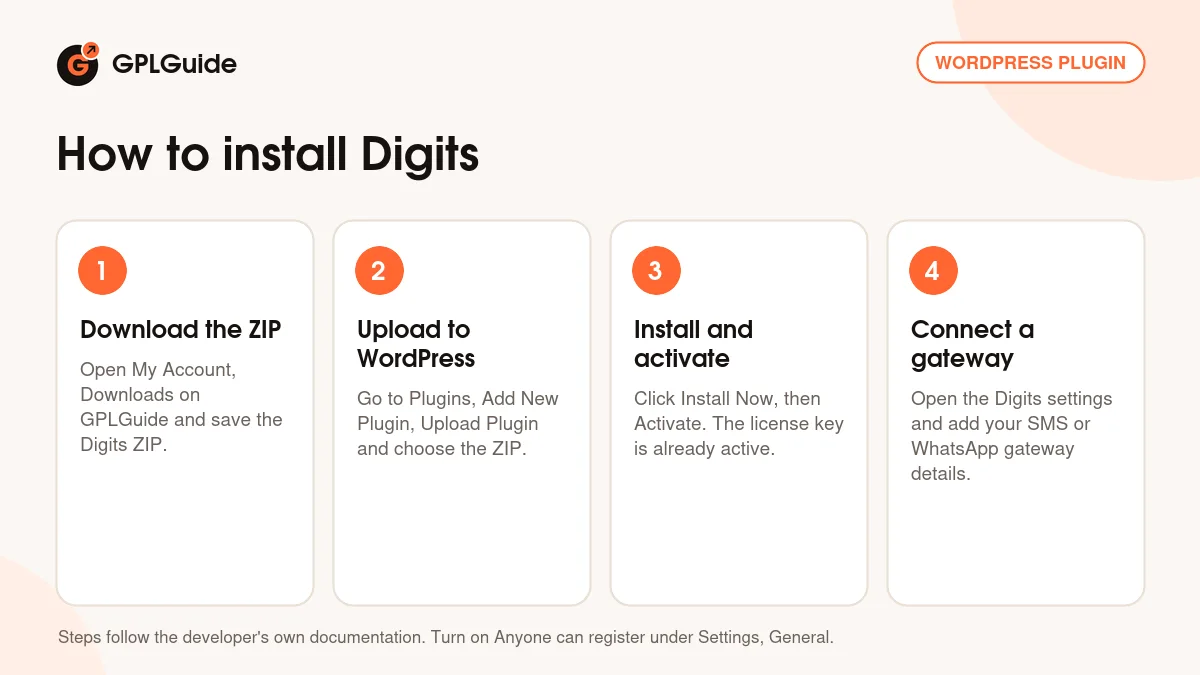
- Sign in to GPLGuide, open My Account, Downloads and save the Digits ZIP.
- In WordPress go to Plugins, Add New Plugin, Upload Plugin and choose the ZIP.
- Click Install Now, then Activate. The license key is already activated, so there's nothing to register.
- Open the Digits settings, choose your SMS or WhatsApp gateway and paste in its details, such as the Account SID, Auth Token and Sender ID for Twilio.
For a good first setup, start small. Turn on Anyone can register, pick one gateway and send a code to your own phone before touching the forms. Then decide whether existing users keep their passwords (they can) and whether the country list should be limited. If you run a caching plugin such as WP Rocket, exclude the login pages and the Firebase scripts from deferral.
Keeping it up to date
Updates from GPLGuide are manual. When a new Digits version appears here, download it from your account and upload it under Plugins, Add New Plugin, Upload Plugin. WordPress offers to replace the installed copy, and your settings and users stay put because they live in the database. If you've spotted a newer version that we haven't added yet, tell us on the Request Item/Update page.
Questions about Digits
Do I have to pay for the text messages? Usually, yes. Each gateway bills its own account holder, which is you. Firebase is listed by the developer as a free OTP gateway, and the developer advertises its own free gateway, which is the developer's service.
Can my current users keep logging in with a password? Yes. The developer says Digits works alongside the normal WordPress login, so email or username and password still work.
Do I need to enter a license key? No. The Digits file from GPLGuide comes with the license key already activated.
Is social login included in this download? No. Social login is a separate add-on from the developer, and this ZIP holds only the main plugin.
Can people sign up with a phone number and a password, without a code? Yes. You can turn the OTP step off and ask for a password instead.
Does Digits work with WooCommerce? Yes. It verifies phone numbers at checkout, supports multi-step checkout since 9.0 and can create the customer account during checkout.
Where is the changelog for 9.2.4.2? There isn't a separate one. The developer's changelog ends at 9.2 from July 7, 2026, and 9.2.4.2 is part of that line.
Looking for more tools like this? Browse the WordPress plugins on GPLGuide, check the WooCommerce plugins if Digits is going on a store, or see what a GPLGuide membership includes if you run several premium plugins. Building the login popup in Elementor? Elementor Pro is here too.
Features & capabilities
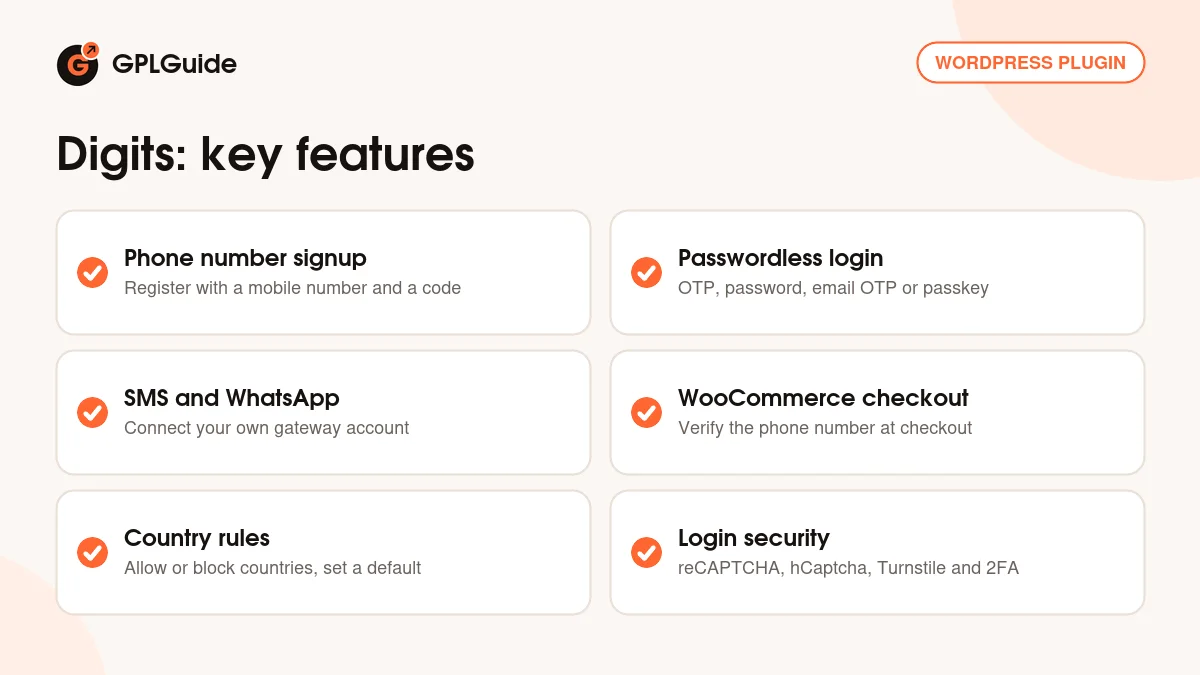
- Signup and login with a mobile number and an SMS or WhatsApp OTP
- OTP, password, email OTP, magic link and passkey login on one form
- Firebase, Twilio and other SMS gateways from the developer's long list
- Custom WhatsApp gateway with JSON payload or OTP in the URL
- WooCommerce checkout phone verification and multi-step checkout
- Country whitelist and block list with a default country code
- reCAPTCHA, hCaptcha, Turnstile, brute-force protection and 2FA by role
- White-label forms that keep user data in your WordPress database


