Cornerstone The WordPress Page Builder
100% Original fileUnmodified copy of the developer's release
DeveloperCode Canyon
Up to dateOriginal released Oct 13, 2026 · File last updated Oct 23, 2026
About this product
Cornerstone Page Builder is a visual, front-end builder plugin for WordPress that runs on top of the theme you already use. You design pages and posts right in a live preview, pull in post data, custom fields and even outside APIs with Dynamic Content and Loopers, and save your own reusable Components. This page is for Cornerstone Page Builder 7.9.7, released on October 13, 2026. On GPLGuide you download the original plugin file to install on your own WordPress websites.
Good for: designers and freelancers who like their current theme but want a proper visual builder, developers who need loops over posts, terms, ACF fields, JSON or CSV data without touching PHP, and agencies that reuse the same sections on many client sites.
Requirements: The developer lists WordPress 5.7 or newer (6.2 or higher recommended), PHP 7.4 or newer (8.0 or higher recommended) and MySQL 5.0 or newer (5.6 or higher recommended). The item page lists compatibility up to WordPress 7.0.x, plus WooCommerce 8.x, Gravity Forms, WPForms and WPML. No other plugin is required, and it works with any theme. The Cornerstone Page Builder file from GPLGuide comes with the license key already activated.
What Cornerstone Page Builder does
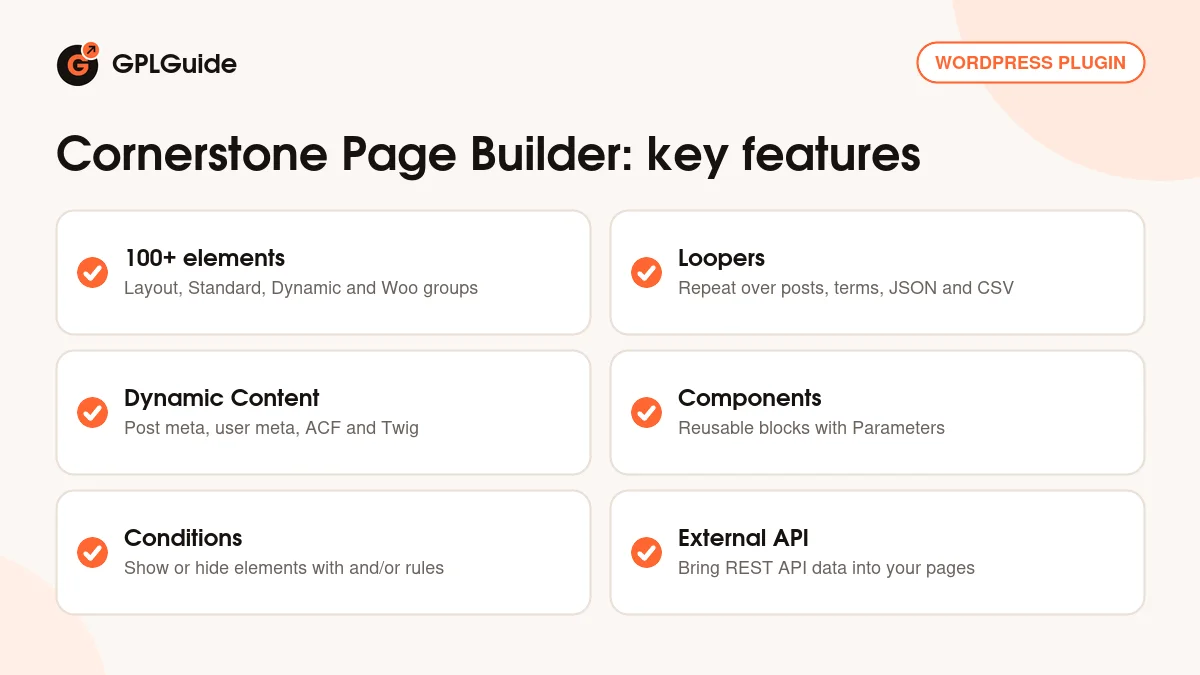
Once you activate it, a Cornerstone menu item shows up in the admin sidebar. From there you open a page or post and edit it as it really looks. Cornerstone Page Builder ships with over 100 prefab elements, sorted into Layout, Standard, Dynamic Content and Woo groups. Think buttons, form integrations, sliders, masonry grids and, since 7.9.0, a proper Table element. Layouts use CSS Grid and Flexbox, you can pick the HTML tag of an element and add custom attributes, and the developer says the output is clean, semantic markup with no shortcodes or extra wrappers.
Be clear about one thing before you start. This is the standalone version, made for use with other themes. The developer's own FAQ says it lets you visually design pages, use dynamic content and build Components, while full site editing (headers, footers, layouts and blog templates) needs their Pro theme. So treat Cornerstone Page Builder as a builder with serious data tools, not as a replacement for your theme.
Design settings live in one place. Globals has a Colors tab and a Fonts tab for System, Google, Adobe and Custom fonts. Breakpoints change values per screen size, and CSS and JavaScript editors work per page or site wide.
Dynamic Content and Loopers in Cornerstone Page Builder
This is the part that sets Cornerstone Page Builder apart from most builders. Dynamic Content lets almost any text, image or link field read live data: post fields, post meta, user meta, taxonomy terms and values from Advanced Custom Fields and other plugins. Twig handles more advanced output. Version 7.9.0 added Icon Dynamic Content, so an icon can go anywhere a field accepts HTML.
Loopers repeat elements over a data set. A Looper Consumer repeats the element it's turned on for, plus everything inside it, and by default it reads the current WordPress query. A Looper Provider, set on a parent element or the same one, swaps in a different data set. The Provider types are Recent Posts, Query Builder, Query String, Current Post Terms, All Terms, Current Page Children, JSON, Custom, Array and Dynamic Content. The docs also cover Users, Menus, CSV, External API, Range and Linked Product loopers.
The settings are practical. Count is Default, which follows your WordPress admin setting, or Custom, and a Consumer can output One, Many or All items. Query Builder offers Offset as Off, By Page or Count, plus Order By with a direction. All Terms has an Empty Terms switch, and the Custom type passes JSON params to your own filter hook. Loops can be nested, so a Current Post Terms loop inside a post loop lists each post's categories. A depth value of 0 reads the current loop, 1 the parent and -1 the top level.
Outside data works too. The External API feature connects a third-party REST API and hands its data to Dynamic Content controls and the External API Looper. A tip: start with JSON or CSV from a URL you control, check it in the preview, then move to a live API.
Components, Conditions and effects
Components. The Component Builder in Cornerstone Page Builder turns a design pattern into a reusable element that's saved to your Element Library. Change the Component once and every instance on the site updates. Parameters expose only the bits an editor should change, such as a heading or a button label. Since 7.9.0 you can right-click an element and pick Create as Component, and since 7.9.4 the Manage Element window shows where a Component is used.
Conditions. Each element can be shown or hidden by rules. The developer mentions meta fields and dates, and you can stack rules with and/or logic. Version 7.9.7 adds HTTP Status code conditions. With WPML, some conditions now switch to their translated counterparts on their own (7.9.3).
Effects. Element-level controls cover filters, transforms, interactions, positional effects, masks and layer blending. Scroll, hover and animation effects can be set per element and per state. Use them lightly. Two subtle effects on a hero beat ten on every section.
Globals, Twig and code for developers
Version 7.9.0 brought Global Variables, so a value you use in many places sits in one list. The Control List Editor can import and export the Variables list, Twig and External API globals, handy when you set up a second site. Since 7.9.0, changing a global color also updates it in other documents shown on the same page, and 7.9.2 put a Convert to Global option in the color picker.
Breakout Mode shows raw fields and advanced inputs when the visual controls aren't enough. Theme developers get a hook too: the cornerstone_enqueue_styles filter stops Cornerstone Page Builder loading its own front-end styles, so your theme stays in charge. Listed integrations include Gravity Forms, WPForms, Contact Form 7, FacetWP, ACF, WooCommerce, Yoast and Rank Math.
Setups you can copy with Cornerstone Page Builder
These use only the tools described above.
- Blog grid on any page: a Query Builder Provider on a grid wrapper, a Consumer on the cell, Count set to Custom 6 and Offset set to By Page.
- Categories under each post: a nested Current Post Terms loop inside that grid, so every card lists its own terms.
- Price list from a spreadsheet: publish a CSV at an https address, feed it to the CSV Looper and repeat a row of cells for each line.
- Seasonal banner: one Section with a date condition, so it shows only during a sale.
- Reusable call to action: a Component with Parameters for the heading, text and button label, placed on each service page.
- Live data block: an External API connection to a public JSON feed, shown through the External API Looper.
What's new in Cornerstone Page Builder 7.9.7
Version 7.9.7 came out on October 13, 2026. It adds HTTP Status code conditions and more Section separators. Fixes cover app windows that needed several clicks to close, a cs_atts_flatten issue with comma separated HTML attributes, and redirect code that could show the wrong content on author or term archives. CSV input now accepts only http and https addresses.
Before it, 7.9.6 and 7.9.5 (both September 30, 2026) fixed a Font Awesome crash when classic elements were on without ACF, sped up the preview and added WPML 5 support. 7.9.4 (September 15, 2026) brought the Component usage list and accessibility work on menus and toggles. The big one was 7.9.0 (August 4, 2026), with the Table element, Global Variables and a modified control UI.
Good to know before you buy
Headers, footers and theme layouts aren't the job of this plugin, according to the developer's FAQ, which points to their Pro theme for full site editing. That theme isn't in this download. The CodeCanyon description does mention headers and footers, so test on a staging site if you're counting on them.
Design Cloud, the developer's template library, comes from the developer's servers, and Extensions come through their dashboard. Both are the developer's services, not part of the plugin file. The Max products, such as Cornerstone Forms and Cornerstone Charts, are separate and not included. The item page lists it as not optimized for the block editor, so plan to edit pages built in Cornerstone Page Builder in the builder, not the block editor. And the developer warns that an unrelated WordPress plugin also uses the name Cornerstone.
Cornerstone Page Builder from GPLGuide vs the official subscription
The developer sells Cornerstone Page Builder as a standalone plugin only on CodeCanyon. A Regular License is $149 and covers one end product that end users aren't charged for. The Extended License is $200. Both include future updates and six months of support from the developer, and support can be extended to 12 months for an extra fee. Under Envato's licence for this item, its PHP code is licensed under the GPL.
From GPLGuide you get the original Cornerstone Page Builder 7.9.7 plugin file, with the elements, Loopers, Components and Conditions that are in it. The license key is already activated, so you can start building as soon as it's installed. What only a CodeCanyon purchase gives you is the developer's forum support, refunds under Envato's rules, Design Cloud and Extensions, and updates through your Envato account.
How to install Cornerstone Page Builder
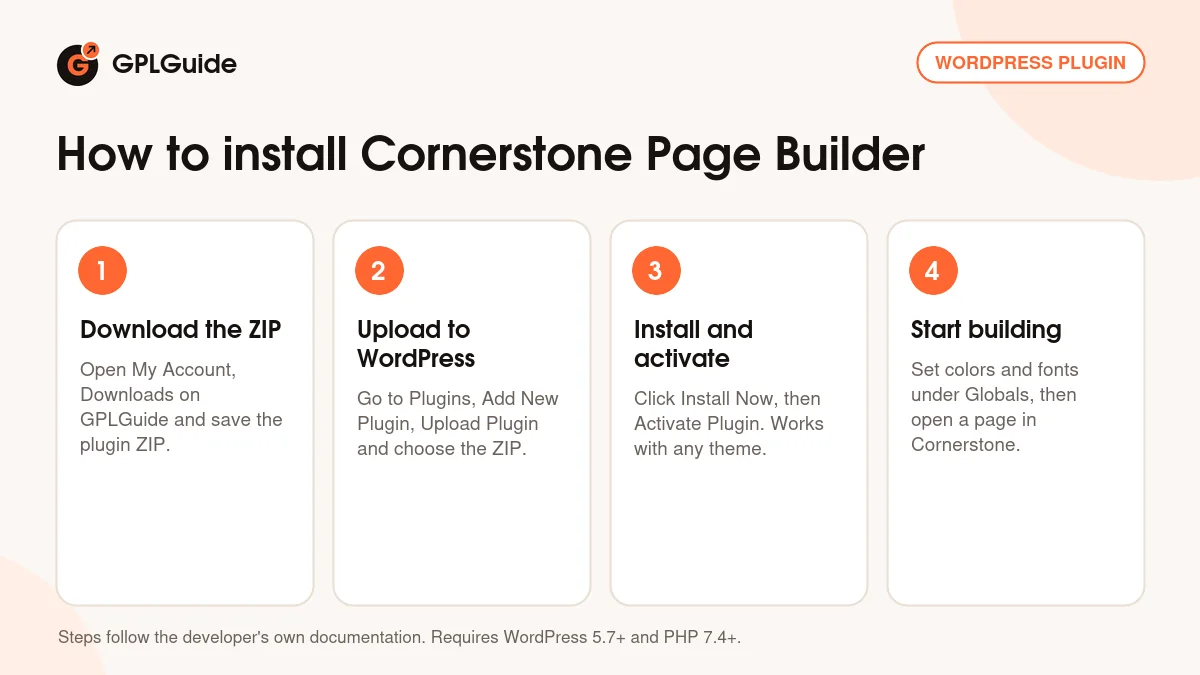
- Sign in to GPLGuide, open My Account, Downloads and save the Cornerstone Page Builder ZIP.
- In WordPress go to Plugins, Add New Plugin, Upload Plugin and choose the ZIP.
- Click Install Now, then Activate Plugin. A Cornerstone item appears in the admin sidebar.
- Open Cornerstone, set your colors and fonts under Globals, then open a page in the builder. The license key is already activated.
For a good first Cornerstone Page Builder setup, fill the Colors and Fonts tabs first, even with three colors and two fonts. Then build one simple page: a Section, a grid with two cells, a headline and a button. Turn that button block into a Component before you copy it anywhere. Next, try a Query Builder loop for your latest posts. It's the quickest way to see how Loopers think.
Keeping it up to date
Updates from GPLGuide are manual. When a new version of Cornerstone Page Builder is listed here, download it from your account and upload it under Plugins, Add New Plugin, Upload Plugin. WordPress offers to replace the installed copy, and your pages keep their layouts, because those are stored in the database and not inside the plugin folder. If you spot a newer version we haven't added yet, tell us on the Request Item/Update page.
Questions about Cornerstone Page Builder
Does Cornerstone Page Builder work with my current theme? Yes. This standalone version is made for use with other WordPress themes, and theme developers can turn off its front-end styles with a filter.
Can I build my header and footer with it? Not with this plugin alone. The developer's FAQ says full site editing (headers, footers, layouts and blogs) needs their Pro theme, which isn't part of this file.
Do I have to enter a license key? No. Your Cornerstone Page Builder download comes with the license key already activated, so you can open the builder right after you install it.
Are the Pro theme, Max plugins or Design Cloud included? No. You get the Cornerstone 7.9.7 plugin only. Design Cloud and Extensions are services on the developer's servers.
Will it work with WooCommerce? Yes. The item page lists WooCommerce 8.x, there's a Woo group of elements, and Linked Product loopers handle upsells, cross sells and related products.
Can it show ACF fields? Yes. Dynamic Content reads Advanced Custom Fields values along with post meta and user meta, and Loopers can repeat elements over that data.
Is it ready for multilingual sites? Mostly, yes. WPML is on the compatibility list, 7.9.5 added WPML 5 support and 7.9.3 fixed a config issue that caused trouble with Polylang.
Can I pull data from another service? Yes. The External API feature connects a REST API, and the JSON and CSV loopers read data from a URL.
Pairing Cornerstone Page Builder with custom fields? Have a look at ACF Pro and FacetWP, and keep the pages quick with WP Rocket. You can browse more WordPress plugins on GPLGuide, or see what a GPLGuide membership includes if you run several premium plugins.
Features & capabilities
- Cornerstone Page Builder: visual front-end editing on any theme
- Over 100 prefab elements, including Layout, Dynamic Content and Woo groups
- Loopers for queries, terms, users, menus, JSON, CSV and external APIs
- Dynamic Content from post meta, user meta, ACF and Twig
- Reusable Components with Parameters, saved to your Element Library
- Element conditions with and/or logic, now including HTTP status codes
- Global colors, fonts and variables, plus page or site-wide CSS and JS
- Effects for filters, transforms, masks, blending, scroll and hover