
FileBird – WordPress Media Library Folders

100% Original fileUnmodified copy of the developer's release
DeveloperCode Canyon
Up to dateOriginal released Oct 13, 2026 · File last updated Oct 23, 2026
About this product
FileBird Pro is the premium edition of FileBird, a WordPress plugin that adds folders to your Media Library so you can sort thousands of images, PDFs and videos by dragging them into place. It's made for site owners, agencies and store managers whose uploads have become one long grid. Pro takes those folders to posts, pages, WooCommerce products and custom post types, and adds folder colors, themes, ZIP downloads and advanced sorting. This page is for FileBird Pro 6.5.9, released on October 13, 2026. On GPLGuide you download the original plugin file to install on your own websites.
Good for: agencies handing a finished site to a client, WooCommerce stores with large catalogs, photographers and publishers with years of uploads, and multi-author sites where each editor should keep their own folders.
Requirements: PHP 7.4 or newer, the minimum since version 6.0. The developer lists WordPress 5.3 to 7.0 as compatible, and the 6.5.8 changelog already fixes the drag handle in the WordPress 7.1 list table. No other plugin is needed. FileBird Pro replaces the free FileBird Lite, so deactivate and delete Lite before you install it. The plugin file comes with the license key already activated.
What FileBird Pro does
WordPress keeps every upload in one flat library sorted by date. FileBird adds a folder tree in a sidebar next to that library, both under Media, Library and in the media window you open from the editor. You create folders with New Folder or a right click, then drag files onto them. Select a folder and the grid shows only what's inside. A breadcrumb shows where you are, and a counter tells you how many files each folder holds.
The folders are virtual. Nothing moves on the server, the wp-content/uploads path stays the same and no image URL changes, so filing a photo can't break a page. Existing uploads appear under All Files after activation. Delete a folder and its files drop into Uncategorized instead of being deleted.
The small touches save the most time. Drag a whole folder tree from your desktop into the library in Grid mode and FileBird rebuilds it. Set a startup folder, fixed or the one you used last, and upload straight into the selected folder. Since 6.5.0 a double click renames a folder.
FileBird Pro vs FileBird Lite: what Pro adds
The free FileBird Lite is generous. It gives you unlimited media folders and subfolders, drag and drop, search, user-based folders, import from other folder plugins, folder structure export, the REST API and the FileBird Gallery block. Since 6.5.3 it can also sort posts and pages into folders, but only one level deep.
FileBird Pro removes that limit. Folders for posts, pages and custom post types nest as deep as you like, and products and coupons get folders too. Pro also adds:
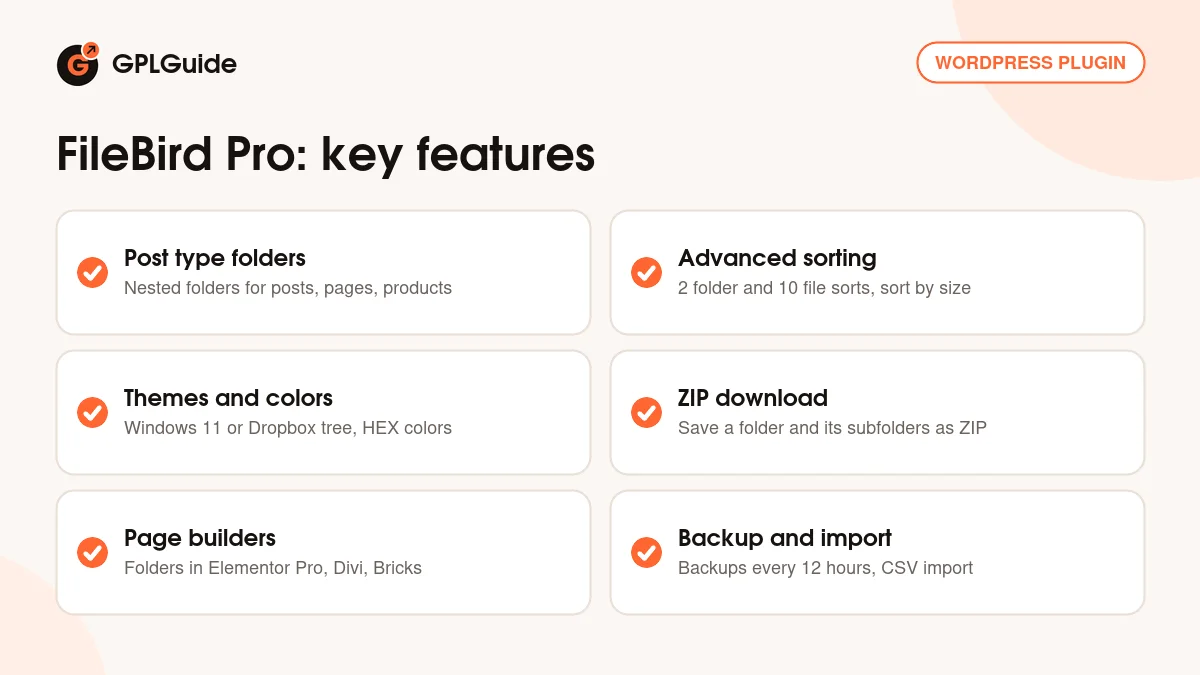
- Advanced sorting: 2 ways to sort folders and 10 ways to sort files, including by file size
- Folder tree themes (FileBird Default, Windows 11 and Dropbox) and color-coded folders
- Download any folder, with its subfolders, as a single ZIP file
- Bulk-create folders, plus a flat tree view that hides folder levels
- A FileBird folder column in the media list and in post type tables
- Support for WooCommerce, the Classic Editor, Advanced Custom Fields, WPML, Polylang and Dokan
For most people the real reason to upgrade is page builders. Lite shows its folders only in the core media window, the block editor and the free Elementor. FileBird Pro brings the folder sidebar into the media picker of Elementor Pro, Beaver Builder Pro, Divi Builder, WPBakery, Bricks, Oxygen, Thrive Architect and many others. If you build in one of those, Lite feels like half a plugin.
Folders for posts, pages and WooCommerce products
Media is only half the clutter on a big site. Under Settings, FileBird, Post Type you choose which post types get folders: Posts, Pages, Products and any custom post type a theme or plugin registers. Each gets the same folder sidebar on its list screen, and you drag rows onto a folder the way you drag images. A FileBird column shows which folder each item sits in.
On a WooCommerce store that's handy. Split products by supplier, by season or into a "needs photos" pile without touching the categories your customers see. These folders are an admin tool only. They don't change URLs, menus or anything on the front end.
Two recent changes help. Since 6.5.7, a new page created while a folder is selected is filed in that folder straight away. Since 6.5.8 you can move media and posts into folders on touch devices. Post type folder structures can be exported and imported, and FileBird Pro's post type folders work with WPML and Polylang.
Sorting, folder themes, colors and backups in FileBird Pro
Sorting. The Sort menu in the left section of the library handles folders and files. To sort by size, open Settings, FileBird, go to Tools and click Generate attachment size. Then Sort, Sort Files, By Size offers Size Ascending and Size Descending. Run it once on an older site. Oversized images uploaded straight from a camera float to the top, and that's often where a slow page gets its weight.
Themes and colors. On the Settings tab, the FileBird Theme option switches the tree between FileBird Default, Windows 11 and Dropbox. To color a folder, right-click it, choose Change Color and pick a preset or type a HEX code. The developer's docs tie themes and colors to an activated license key, and your download already has its key activated, so both work from the first minute. The same tab holds Folder Counter, which can count files in each folder only or in parent folders and subfolders together, and Show Breadcrumb.
ZIP downloads and backups. FileBird Pro downloads a folder and its subfolders as one ZIP, a quick way to hand a client every logo file at once. Version 6.5.9 fixed corrupted ZIPs on folders with many files and added backup management. Backups run every 12 hours, the 30 most recent records are kept, and there's a Backup Now button. Treat it as a FileBird safety net, not a full site backup like Duplicator Pro.
Setups you can copy with FileBird Pro
Each one uses settings covered above.
- Client site handover: top-level folders for Brand, Team, Blog and Pages, each with year subfolders. Set the startup folder to the previously selected folder so editors land where they left off.
- WooCommerce catalog: turn on Products under Post Type, then add New Season, Clearance and Needs Photos folders. Make Needs Photos red so nobody misses it.
- Multi-author blog: turn on "Each user has his own folders?" so every admin keeps a private tree. Decide before people start filing, because switching it later changes which folders everyone sees.
- Reusing a folder structure: export your folders to CSV in the Import/Export section, then import the file on another site with All folders as the scope.
- Custom fields site: the developer lists Advanced Custom Fields support as Pro-only, so pick this version if editors choose images through fields built with ACF Pro.
What's new in FileBird Pro 6.5.9
Version 6.5.9 came out on October 13, 2026. It adds backup management, makes the folder tree and settings page more accessible, and includes a security improvement. It also fixes a conflict with WP Duplicate Page and the corrupted ZIP files some people got when downloading large folders.
Before it, 6.5.8 (August 22, 2026) added a FileBird Gallery module for Divi Builder, touch-device support and a fix for sorting files by name. 6.5.7 (July 27, 2026) filed new pages into the selected folder, fixed CSV import and closed a security issue flagged by Wordfence. 6.5.5 (June 19, 2026) fixed a compatibility issue with Admin Column. At the time of writing, 6.5.9 is the newest version in the developer's changelog.
Good to know before you buy
FileBird Pro and FileBird Lite don't run side by side. The developer's update guide says to deactivate and delete the free version first, then install Pro, and your folders and settings carry over. FileBird keeps them in two database tables, _fbv and _fbv_attachment_folder. Handy if you ever migrate a site by hand.
A few things trip people up. Folders are virtual, so you won't see them over FTP. The Clear all data button in the Danger Zone wipes the whole folder system. With LiteSpeed Cache and its Cache REST API option on, folders can seem to vanish; the developer's fix is to turn that option off. Some hosts run a Sucuri firewall that blocks folder requests until your IP is whitelisted.
Two related products aren't part of this download: FileBird Document Library, which lists files on the front end, and FileBird Cloud, which connects Dropbox and Google Drive. Both are separate plugins. FileBird Pro itself needs no outside service.
FileBird Pro from GPLGuide vs the official subscription
From GPLGuide you get the original FileBird Pro 6.5.9 plugin ZIP, the same file the developer ships, with nested post type folders, page builder support, themes, colors, ZIP downloads and advanced sorting inside. The license key is already activated, so the parts the docs tie to a license work right away. Under Envato's licence for this item, its PHP code is licensed under the GPL.
Buying from the developer gets you what a download can't. A Regular License on CodeCanyon costs $149 with 6 months of support, extendable to 12 months for $54. On the developer's own site a single site costs $39 per year (listed down from $49) or $99 for a lifetime licence, with live chat support and a 30-day money-back guarantee. Support, refunds and updates delivered inside WordPress come only from the developer.
How to install FileBird Pro
- Sign in to GPLGuide, open My Account, Downloads and save the FileBird Pro ZIP.
- In WordPress open Plugins and, if the free FileBird is installed, deactivate and delete it. Your folders stay in the database.
- Go to Plugins, Add New Plugin, Upload Plugin, choose the ZIP, click Install Now and then Activate.
- Open Media, Library. The license key is already activated, so create your first folder with New Folder and drag a few files onto it.

For a good first setup, open Settings, FileBird before you create a single folder. Decide whether each user gets their own folders, pick a theme, then switch on the post types you want under Post Type. If you came from another folder plugin, run the import first so you don't end up with two half-built trees.
Keeping it up to date
Updates from GPLGuide are manual. When a new version of FileBird Pro is listed here, download it from your account and upload it under Plugins, Add New Plugin, Upload Plugin. WordPress offers to replace the installed copy, and your folders and settings stay in place. If you spot a newer version we haven't added yet, tell us on the Request Item/Update page.
Questions about FileBird Pro
Do I need the free FileBird Lite as well? No. FileBird Pro is a complete plugin on its own. Remove Lite first and your folders carry over.
Will moving images into folders break my pages? No. Folders only exist in the admin, and file paths and URLs stay exactly as they were.
Do I have to enter a license key? No. The FileBird Pro file from GPLGuide comes with the license key already activated, so folder themes and colors are ready once you install it.
Can I bring my folders over from another plugin? Yes, from eight of them, including Real Media Library, HappyFiles, CatFolders and Enhanced Media Library. Deactivate the old plugin first. The import option only appears when FileBird detects its data.
Does it work with WooCommerce? Yes. Turn on Products under Settings, FileBird, Post Type to sort products into folders. Lite has no WooCommerce support.
Which page builders does it support? More than 20, including Elementor Pro, Divi Builder, WPBakery, Bricks and Oxygen. Divi got its own FileBird Gallery module in 6.5.8.
Can each editor have private folders? Yes. Turn on "Each user has his own folders?" and every admin user sees only the folders they created.
What happens if I deactivate the plugin? Nothing breaks. Your files stay in the normal WordPress Media Library, just without the folder tree.
Tidying up more of your site? Browse more WordPress plugins on GPLGuide, or see what a GPLGuide membership includes if you run several premium plugins.
Features & capabilities
- Unlimited virtual Media Library folders that never change file URLs
- Nested folders for posts, pages, WooCommerce products and custom post types
- 2 folder sort methods and 10 file sort methods, including sort by size
- FileBird Default, Windows 11 and Dropbox themes plus color-coded folders
- Download any folder and its subfolders as one ZIP file
- Folder sidebar inside Elementor Pro, Divi, WPBakery, Bricks and other builders
- Backups every 12 hours, CSV import and export, migration from 8 plugins
- FileBird Gallery block, user-based folders and a REST API for developers


